![FlyFreely_Logo_White_OnDark.png]](https://knowledge.flyfreely.io/hs-fs/hubfs/FlyFreely_Logo_White_OnDark.png?height=40&name=FlyFreely_Logo_White_OnDark.png)
Airworthiness notices provide you with a way to track notifications about equipment defects that come from the manufacturer, the regulator, or that you find affecting a large number of your fleet. This can also be important for compliance where you need to show that you have received and considered these notices, even if they are not applicable to your fleet.
The notices link to normal maintenance requests, so that you can track the progress of rectifying a defect across your fleet.
Note: This feature is available on-demand. Please contact support@flyfreely to enable this feature for your account.
Interactive Click-through process
Use the interactive guide to click-through the process of creating an airworthiness notice.
Below is a video demonstration of how to create an airworthiness notice and linking it to a maintenance request.
Follow the step-by- step guide below to create an airworthiness notice and linking to a maintenance request.
- From the Manage Dashboard, scroll or quick scroll (by clicking on 'Maintenance' on the left panel) to the Maintenance widget.
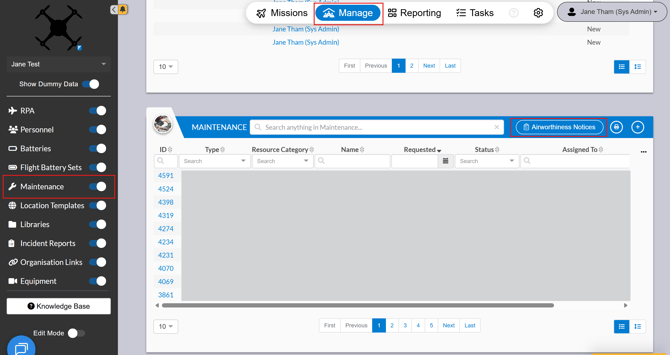
- Click on Airworthiness Notices on the maintenance widget
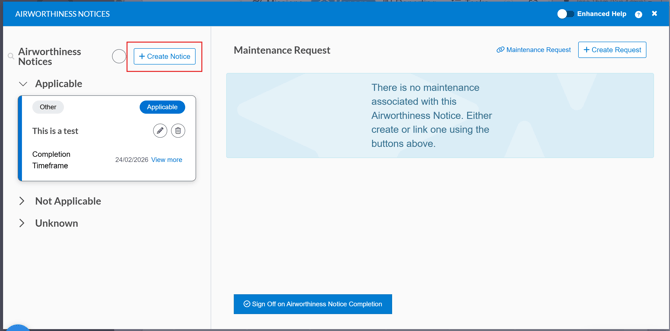
- Click + Create Notice to create an Airworthiness Notice
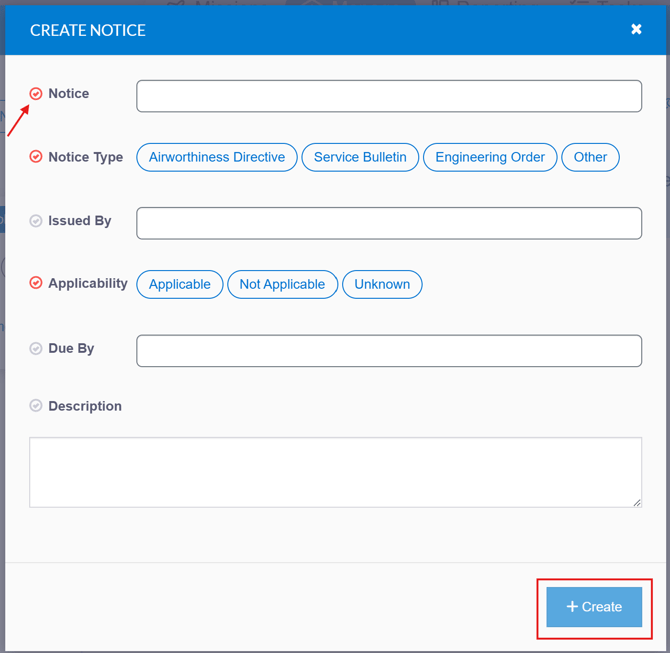
- Complete all relevant fields, then click + Create. Fields marked with a red tick are mandatory.
- The Airworthiness Notice appears under the relevant classifications.
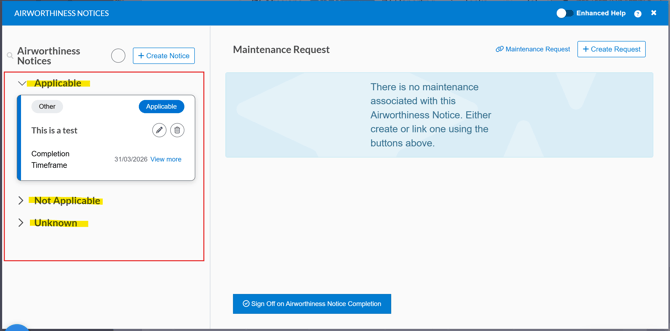
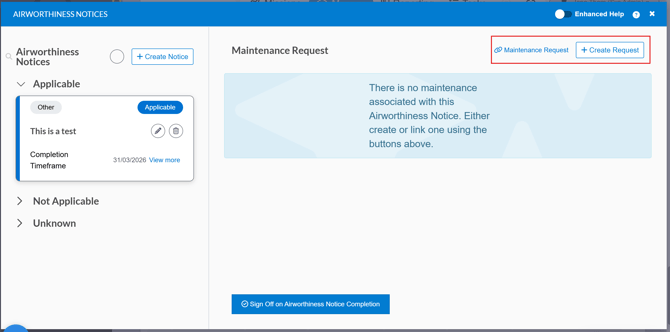
- Link the Notice to an existing maintenance request, or create a maintenance request to link the notice to.