![FlyFreely_Logo_White_OnDark.png]](https://knowledge.flyfreely.io/hs-fs/hubfs/FlyFreely_Logo_White_OnDark.png?height=40&name=FlyFreely_Logo_White_OnDark.png)
Overview
Enterprise operations often span multiple locations and involve external parties, such as contractors. Sites provide a structured way to organise missions and local notices (LOTAMs) by location, helping internal and external teams coordinate activities and avoid conflicts.
🌟Enterprise Feature 🌟
This capability is available on the Enterprise plan. If you are interested in this capability, please reach out to support@flyfreely.io and one of our team members will arrange a demo with you.
Sharing Sites to another organisation
Sites explained
How does it work?
When a Site is created, you can define a geographic boundary for it. Any missions and LOTAMs created within that boundary are automatically associated with and grouped under the Site.
Sites are not version controlled, so they can be updated over time. Any changes will apply to new and unflown missions, and any LOTAMs that overlap the Site boundary.
Sites can be used for single-org or multi-org structures. Sharing of sites is always from the site owner to another organisation and not any further.
How can it be used?
This capability provides a framework for sharing information with other organisations by associating missions and LOTAMs with a Site. The Site then serves as a shared area for coordination and deconfliction.
Example -
When a flight area is drawn within a defined Site or LOTAM boundary, the relevant details are automatically added to the mission plan under 'Situational Awareness', and the mission is automatically associated with the Site.
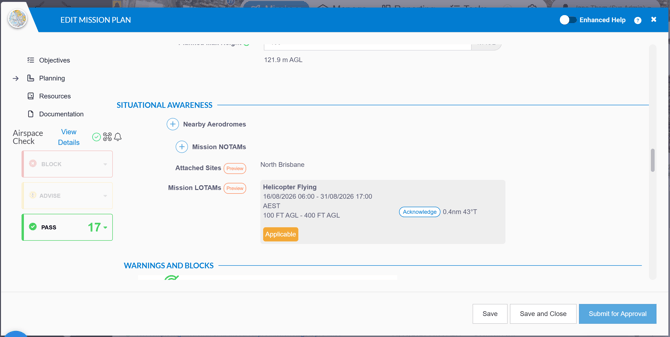
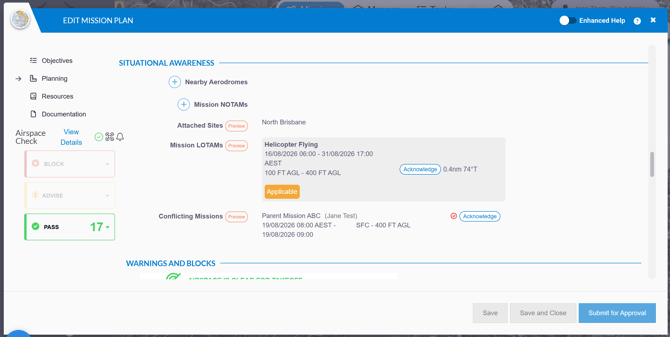
When a Site is shared with another organisation (a child organisation), planners in that organisation can view any missions and LOTAMs associated with the Site. This information appears in the mission plan when the defined flight area overlaps the Site boundary.
The example below shows a mission created in a child organisation whose flight area overlaps the shared Site.
How to set up Sites
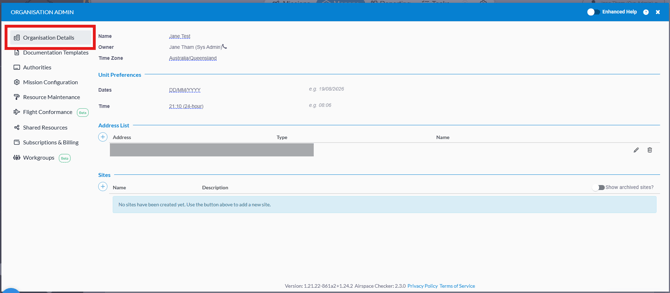
Sites are created an managed from the organisation admin panel under the 'Organisation Details' tab.
Click the plus icon to create a new Site.
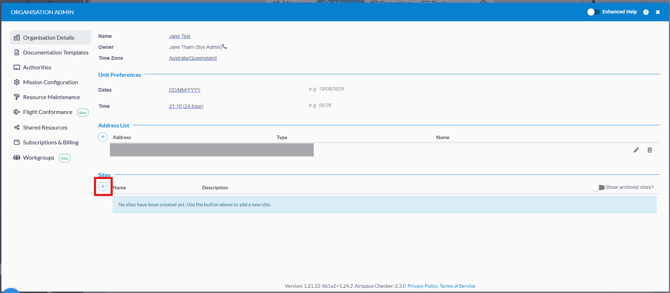
Complete the relevant fields.
Mission Overlap Operating Requirement:
-
Inform - selecting this option means the user will be informed of this site boundary and any missions and LOTAMs associated with this Site in the mission plan, no further action required.
- Acknowledge - selecting this option means the user will need to acknowledge this site boundary and any missions and LOTAMs associated with this Site in the mission plan. The user will not be able to proceed with the mission unless these are acknowledged.
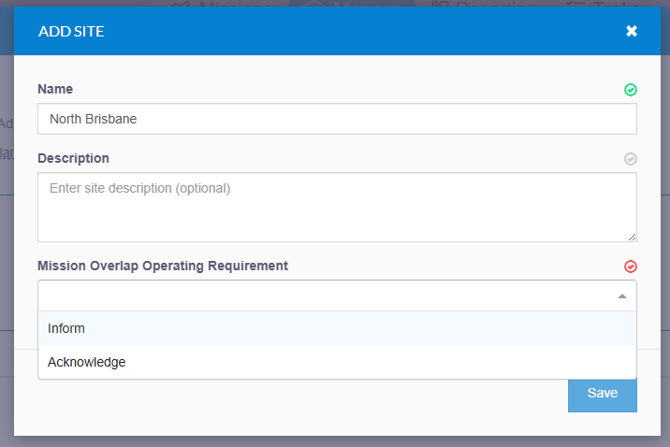
Click 'Save' to create the Site.
To edit above fields, click on the pencil icon.
To add or view a site area, click the map icon and the 'Edit Site Area' window will appear.
To archive a site, click on the archive (box looking) icon.

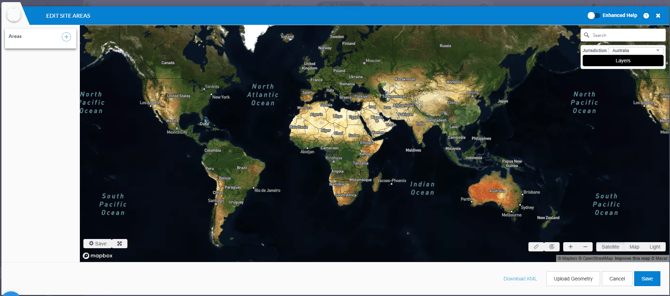
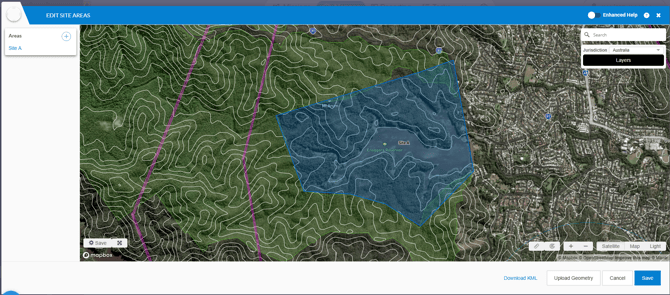
Sharing Sites to another organisation
On the organisation admin panel, click on 'Shared Resources' tab.
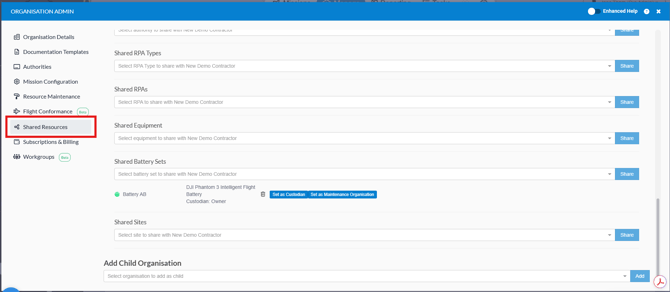
Under the 'Shared Sites' dropdown for the relevant child org, select the site you would like to share and click 'Share'.
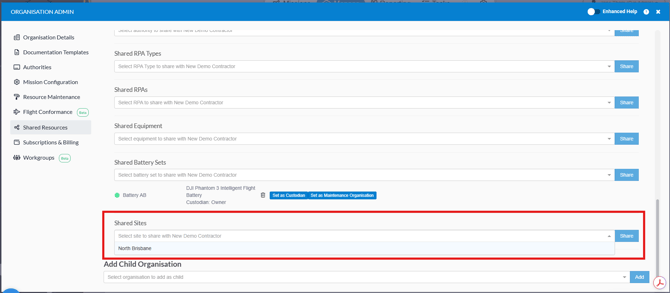
This enables the Site to be accessed by the child org. Any missions and LOTAMs within this Site area boundary will be automatically associated.